In Synapse you write each agent in plain language, saying what it does and how far it may go, and then you put several of them into a squad with a leader. The work arrives shared out, and the final answer comes back with the name of whoever wrote each part.
From a written agent to a working squad, in one short video.
The specialist written in plain language, the folders and permissions it respects, the test with the hard case, and the squad that shows who did each part.
Watch · 1:25 · 39 sIllustrative view of the product, with example data. The video has no sound: the captions are on screen.Read what the video shows
Agents & Squads: specialists with your company's rules. AI specialists with the rules, folders and capabilities you set.
Tailor-made specialists. With your own sources. Instructions, sources and tools, all set by you.
Name, model and how it answers. Step 1 of 2, Identity: name, description, model and creativity.
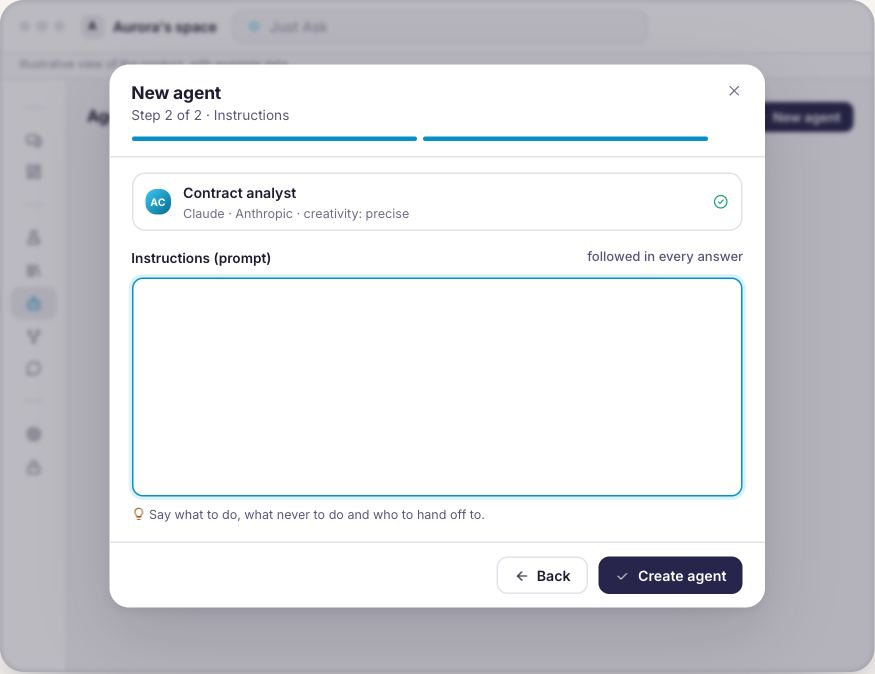
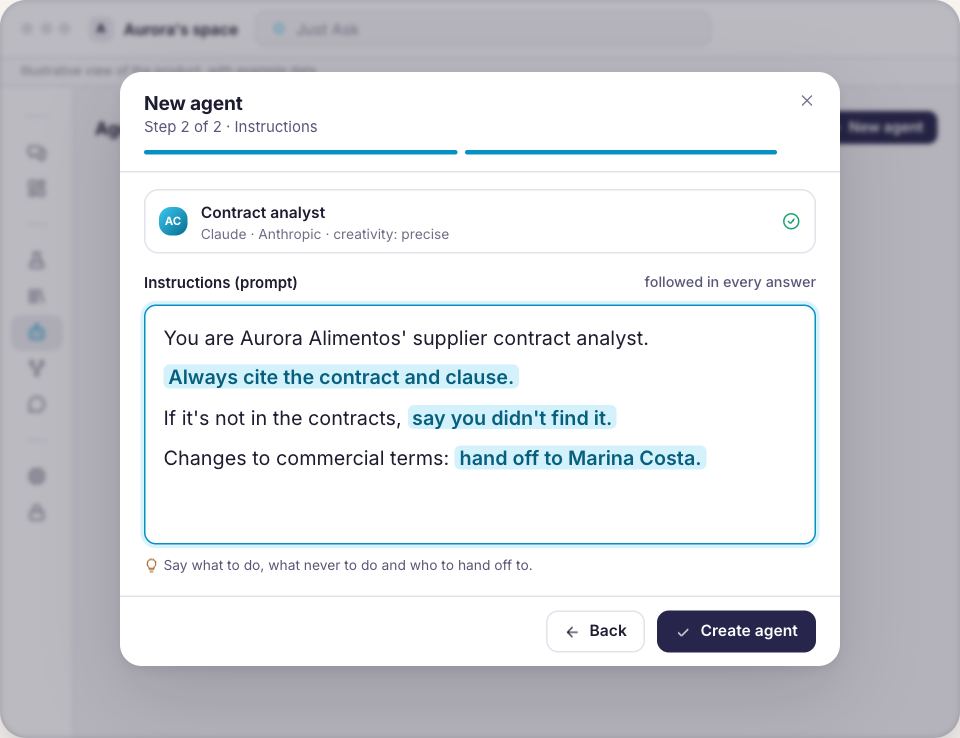
Instructions written for someone on day one. What to do, what never to do and who to hand off to.
It only answers from the folders you tick. Knowledge Base reach: Only what I choose.
Never beyond the user's own badge. Read, Write or Delete; without permission, it stays blocked.
Test it on the hard case before launch. Test agent runs for real, with the same model and tools.
A squad splits the work among them. Squad scope for all, a leader kicks off the work.
The answer shows who did each part. Agent contributions: each one's part, under their name.
In chat, in squads, in workflows. Call it with @ in Chat, in a squad, a workflow or a trigger.
Less explaining twice. More specialists on the team. Meet Synapse.
The same request, two ways.
Drag the line and see the difference between explaining the process all over again and asking once, of people who already know it.
From the agent you wrote by hand to the team that solves it together.
Six screens your team will use, in the order they show up: write the specialist, set its limits, put it in a squad and watch the work come back shared out.
Agents & Squads
A specialist written in plain language
You say what the agent does, how it answers and how far it may go. It is not code, it is the text you would write for someone on their first day, and you can try it with your hardest question before letting it out.
Name, role, description and the instructions it follows
The language model picked for that particular job
Precise or inventive, you decide how much it varies
Agents & Squads
It never goes past the badge of whoever runs it
What the agent may look up, change or delete comes from a catalog organized by area, and every item says what it does. Whatever your role does not allow shows up blocked, so the agent never does for you what you could not do yourself.
A catalog by area, tagged read, change or delete
You tick the Base folders it may draw an answer from
Your own tools and your own integrations sit in the same list
Agents & Squads
The squad is the team, and the leader opens the work
A squad gathers the agents you wrote, with a scope they all share and one of them marked as leader. The leader goes in first and frames the task, and every agent after that already receives a summary of what came before.
The squad scope guides every member
A default model on the squad, and each agent with a model of its own
Members come and go without touching the rest, and deleting the squad deletes no agent
Agents & Squads
You watch each agent working
In the squad panel you send the request and follow it member by member, who started, who finished and who failed, with the exact error message. Each test stands on its own, so the squad does not drag the previous conversation along.
One by one, live, while they work
When one fails the others carry on, and the panel says which one
Every run uses credits, and that is recorded
Agents & Squads
The answer says who wrote each part
The result comes back with each agent's contribution under its own name. When the answer came out of a document of yours it carries the file and the page, and when it is not in your sources the agent says so instead of making it up.
Contribution by contribution, with the name of whoever wrote it
File and page when the answer came from your Base
With no source, it says it does not know
Agents & Squads
Where the squad gets called
A squad can be the target of a support channel, become a step inside a workflow, or be fired at a time you set, by a webhook or by an event from the platform itself.
A workflow step hands the task to the squad and takes the answer back
At a time you set, by webhook, or by a platform event
A channel points at one agent, one squad or one module
From the first agent to the first squad.
1
Write the specialists
One agent per job, with the instructions and the reach you set.
2
Put them in a squad
Pick the members, mark who leads and write the scope that holds for all of them.
3
Send the first request
Watch each agent working and read the answer with the name of whoever wrote it.
Let us build the first squad with you.
Bring a process that passes through several hands today and we will show you, in your own context, how it looks shared out between agents.
A conversation about the process you want to share out
The agents that process would ask for, written on the spot
What stays with the person and what moves to the squad
Agents and squads belong to the workspace where they were created, and what an agent reaches is always what the person running it already reached.
The squad works inside your rules.
Inside the workspaceAgents and squads belong to the workspace where they were created and never cross into another.
Never beyond the badgeAn agent reaches what the person running it reaches, and nothing beyond that.
You choose what it readsThe whole Base, or only the folders and the documents you pick.
Answers with the sourceWhen the answer came out of a document of yours, it carries the file and the page.
On TVBluey, the company behind Synapse, on TECH SC by Globo NSC
Questions about squads
What is the difference between an agent and a squad?
An agent is one specialist with instructions of its own. A squad is a team of those agents, with a scope they all share and one of them marked as leader, who goes in first and frames the work.
Does Synapse come with ready-made squads?
No. A workspace starts with none, and you build yours out of the agents you wrote. That is why a squad ends up shaped like your process rather than like a generic template.
Do I need to know how to code?
No. An agent's instructions are ordinary text, and what it may do you tick in a catalog organized by area.
Can an agent see what I cannot?
No. The agent's reach is crossed with the reach of the person running it, so whatever your role does not allow shows up blocked in the configuration and never runs.
Does every agent use the same model?
It does not have to. Each one has its own, chosen for the job, and the squad keeps a default model. The Multi-LLM layer explains how that choice is made.
What happens if one agent in the squad fails?
The panel shows which member failed and the exact error message, and the others still come back with what they produced.
Can the squad be called from outside Synapse?
It can. A support channel can have the squad as its target, a workflow step can hand the task to it, and a webhook or a time you set can fire it.
Start with the process that passes through the most hands.
Tell us which one it is and we will build the first squad with you, with the agents it would ask for.