Every channel in one inbox
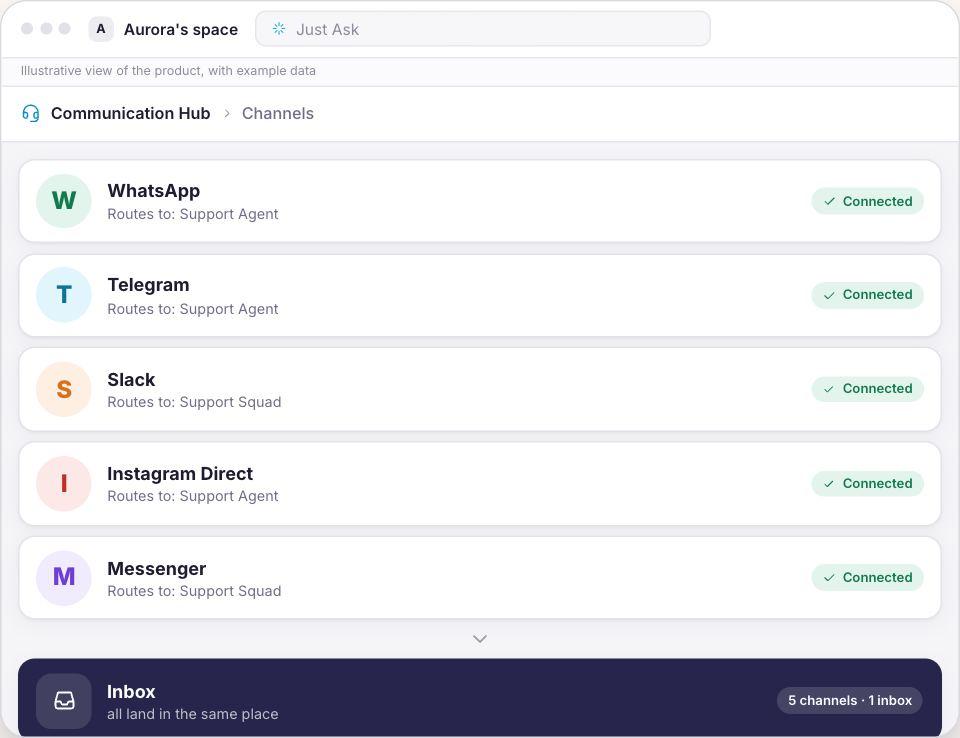
WhatsApp, Instagram, Telegram, Messenger and Slack in a single inbox. Every message arrives already read: intent, category, sentiment, urgency and the right queue.
WhatsApp, Telegram, Slack, Instagram Direct and Messenger in a single inbox. Synapse answers with your company's own material, raises its hand when a conversation gets tight and says why. A person takes over with the whole history in front of them, and hands it back when they are done.
Every channel landing in one inbox, Synapse leading, the conversation that rises when it gets tense, approval before anything goes out, and the trail of what happened.

Drag the line and see the difference between hunting for who answered what and having the whole conversation in one place.
The Support module brings the channels, the AI that replies and your team into one flow — with the platform behind it: projects, knowledge, permissions and a record. Every answer goes out with your approval.
WhatsApp, Instagram, Telegram, Messenger and Slack in a single inbox. Every message arrives already read: intent, category, sentiment, urgency and the right queue.
The AI drafts with the company’s data, but nothing goes out without you: Approve and send, and the card stays until delivery is confirmed.
Five stations, and yours is the middle one: what’s in front of you is your turn. Take it with one click and the full history; hand it back with context.
Everything is written down, including what didn’t go out. The Trail tells who did what — the proof you show when asked.
Buying interest in support turns into an opportunity in the Sales funnel, with no retyping — the same platform, end to end.
Queues, owners and role-based permissions: each person sees and does what their badge allows, and a case rises to whoever decides when needed.
The same customer message followed to the end: how it comes in, who conducts it, when a person takes over and what stays written down.
Six channels connect today. Five of them receive and answer through the same inbox, with no screen per app. The sixth, Microsoft Teams, comes in as your team's internal channel, and the hub does not reply through it.
On arrival the conversation is classified by subject, category, urgency and queue, and is born with a first-response deadline stamped on it. The rules you wrote decide where it goes.
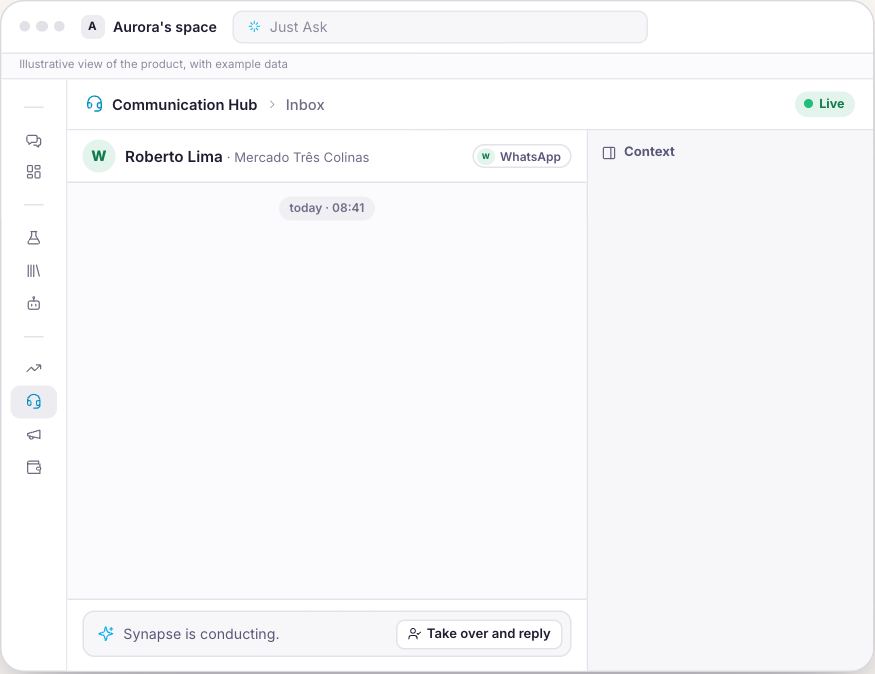
The board shows the whole operation at a glance: what arrived, what Synapse is conducting on its own, what needs you, what an agent is holding and what has closed. A card that moves is with the machine; a card sitting still in front of you is your turn.
In supervised mode Synapse writes and a person approves before the message goes out. Taking over is one click, with the whole history in front of you, and so is handing back, with a line of context that reaches the agent.
Every conversation has a trail told event by event: who took over, who approved, who handed back. Including the messages Synapse tried to send and the channel would not let through.
A conversation showing buying intent becomes a contact, a lead and a deal in the pipeline, carrying the summary of what was said and the details the customer dropped mid-chat.
Telegram takes two minutes with a @BotFather bot. Slack asks you to authorize the app in your workspace. WhatsApp starts with the registration at Meta, and the approval is theirs.
Create the queues by subject and the routing rules. An agent clicks Pull next and gets the most urgent, oldest conversation in the queue.
The AI writes, a person reads and approves before anything goes out. When the confidence is there, move conversations to automatic, one at a time.
Support brings the communication hub and what comes with every door: chat, the knowledge base, templates and your business context.
For a business that lives on customer messages
You see the amount before confirming any charge.
You create the account and the company space, and the subscription opens right after, with the option picked here.
No lock-in. Cancel whenever you like and keep using it until the end of the paid period.
On TVBluey, the company behind Synapse, on Globo NSC's TECH SC
That is up to Meta, not us. Connecting a number requires a WhatsApp Business registration with Meta, with their verification and approval, and we promise no date because we do not control that date. In the meantime, Telegram and Slack are receiving the same day.
It receives, and the conversation is born marked as internal: Teams is your team talking to the agents. Replying from the unified inbox works today on WhatsApp, Telegram, Slack, Instagram Direct and Messenger.
Phone, website chat and e-mail. There is no voice, dialler or IVR anywhere in the product, there is no chat bubble to install on a page, and there is no mailbox connection. The channel has to be a messaging app your customer already uses. Audio comes in only as a voice message received on WhatsApp or Slack, transcribed to text.
Leave the conversation on Supervised: it writes, a person reads and approves before anything goes out. Any conversation can also be moved to Human only. And terms your brand does not use block the send before it leaves, even if somebody clicks approve.
Not today. First-response deadlines come from the system by priority, 15 minutes for urgent, 1 hour for high, 4 hours for normal and 8 hours for low, and the resolution deadline is four times that. There is no screen to change those values.
The design is the opposite. The machine holds the repetitive volume and the human queue exists for what needs a person's decision. The Needs you column is literally the size of that work, and when it is empty the right reading is that the operation went well without you.
You can, on a connected channel, with the audience typed, pasted, imported from a spreadsheet (CSV, XLSX or XLS) or pulled from the CRM. After the send, the report shows recipient by recipient what happened, with the reason for each one. On WhatsApp, outside the 24-hour window, only a Meta-approved template goes out.
A conversation closed more than five days ago leaves the board and lives in Reports, filterable by closing date, channel, queue and owner. The spreadsheet export takes the page on screen, not the whole period at once.

Connect a channel today, keep the first week supervised, and read the trail of the first conversation Synapse conducted on its own.
Open my support desk now