Answer with the source
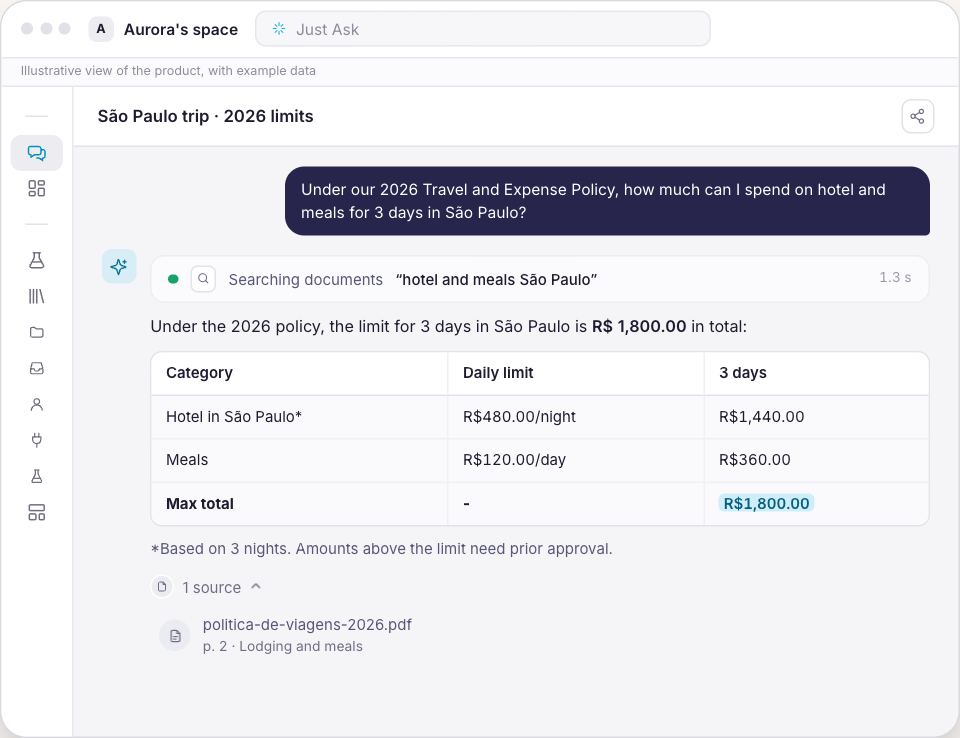
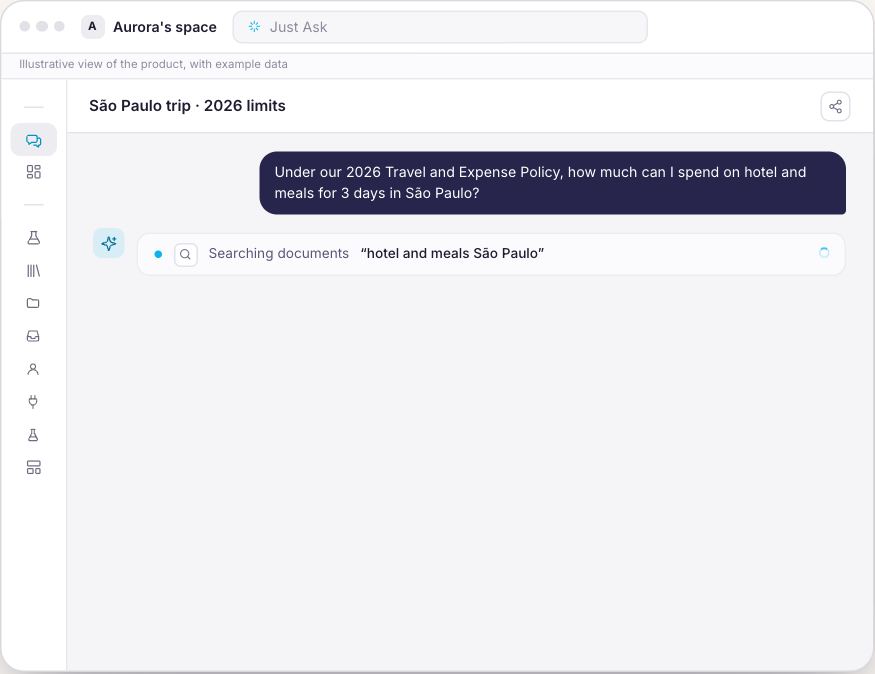
Ask in plain language and Synapse searches the company policy and shows where it came from — the page that proves the answer.
Upload the contracts, policies and spreadsheets your company already has. Anyone on the team asks in plain words and gets the answer with the file and the page behind it. And nothing reaches an answer before someone approves it.
Files and systems flowing into one base, approval before indexing, the folder that decides who sees what, and the answer with the page that proves it.

Drag the line and see the difference between hunting for the right file and simply asking.
The Knowledge module turns documents, spreadsheets and policies into answers with a source — organized in folders, with approval and permissions. And the platform behind it: projects, team and support.
Ask in plain language and Synapse searches the company policy and shows where it came from — the page that proves the answer.
Drag in files or whole folders: PDF, Word, spreadsheets, emails — each one in the folder for its topic.
Nothing enters the answers before someone approves. Approved, indexed — and Synapse even writes a summary.
Each folder chooses who sees it. Whoever can’t access the folder doesn’t get its content in an answer.
Documents Synapse reads; tables it queries. A spreadsheet becomes a table: sum, filter and compare.
From a conversation to a proposal or document in one sentence, no form — the conversation drives, with the case context alongside.
Every step happens on a screen you will meet after signing up, under the same name it has in the menu.
Whoever asks writes in plain words. Under the answer comes the Sources block: how many files support it, the name of each one and the page. One click opens the document right there, on the page it cited.
Drag files one by one or a whole folder from your computer. Whoever connects their own Google Drive or SharePoint account gets a folder in their name, and keeps deciding who sees what is in it.
Every file arrives as Awaiting approval. Only after Approve and index does it move through Indexing and end up Indexed, ready to be quoted. Who approves is set by permission, separate from who uses the chat.
The restriction is by user, role, group or tag, and it holds inside the answers: whoever cannot open the folder does not receive its content through the chat. With no restriction at all, the screen says in plain words that the folder is open to anyone in the company.
CSV, XLSX and XLS are not read as text: they become a real queryable table. The quarter's total is summed over the rows of the file, not estimated from an excerpt.
Ask the chat for a report, a proposal, a deck or a spreadsheet and watch the preview take shape beside it. The company keeps its own templates, and the agents write inside that standard.
Drag the folders from your computer, or connect your Google Drive or SharePoint account.
Set the folder permissions and approve the documents. Whatever stays out exists in the list and does not exist for the answers.
In plain words, the way they would ask the colleague who knows everything. And they check the source before trusting it.
Knowledge brings your company's collection plus what comes with every door: chat, projects, templates and the business context.
For the company that runs on documents
You see the price before confirming any charge.
You create the account and the company space, and the subscription opens right after, with the option you picked here.
No lock-in. Cancel whenever you like and keep using it until the end of the paid period.
On TVBluey, the company behind Synapse, on Globo NSC's TECH SC
Yes. Every file arrives as Awaiting approval and is only quoted after Approve and index. You can approve several at once by ticking the list, and the review queue shows what is still waiting. This is the number one reason the platform cannot find a file that is already there.
You can. The restriction is per folder and per document, set by user, role, group or tag, and the same rule holds in the answers. With no restriction, the screen warns that the folder is open to anyone in the company.
No AI is infallible, which is why the proof comes with it: every answer drawn from a document shows the file and the page, and opens the document on the page it cited. When the subject is not in the approved material, the answer says so instead of inventing.
PDF, Word, PowerPoint, text, markdown, HTML, RTF, ODT, e-mail, JSON and XML. CSV, XLSX and XLS come in as queryable tables. Meeting recordings, audio and video become searchable text.
They work as tables: the total is summed over the rows of the file, not estimated from an excerpt. The spreadsheet loads whole, or the upload fails and says why, instead of importing half of it. The same content pasted inside a PDF, though, is text, and text does not add up.
Only text, markdown and HTML are editable on screen, and the platform relearns the new content by itself. PDF, Word, PowerPoint and spreadsheets you download, edit in your own program and upload again. And worth knowing up front: there is no bin and no version history, so deleting a document is final.
No. You create the account, drag the files in, set who sees what, and the team starts asking. Connecting Google Drive or SharePoint is done by the person who owns the content.
No. The material stays isolated in your company's space and is not used to train AI models.

Upload the first folders today, approve what may be quoted, and ask the first question with the source beside it.
Build the base now